Best 6 Employee Onboarding Softwares for Small Dental Offices
A five-person dental office doesn’t have an HR department. Whoever’s free trains the new hire, usually between patients, using whatever notes survived the last resignation.
That works until it doesn’t. A new front-desk hire misreads an insurance rule, or a new assistant improvises a sterilization step nobody caught in time. Small dental teams can’t absorb that kind of gap the way a bigger organization can.
Employee onboarding software exists to close it. It replaces tribal knowledge, passed hire to hire, with one documented process. Below are six platforms dental offices actually use, what they cost, and where each falls short.
Dental staffing makes this more urgent than it might sound. The American Dental Association’s own research flags a documented hygienist shortage with no sign of easing soon. Most offices will face a real onboarding moment sooner rather than later.
Onboarding software for small dental offices, at a glance
Six platforms show up again and again when small dental practices search for onboarding software. They are Seneca (by FlowPatterns), Trainual, SweetProcess, Process Street, Whale, and Scribe. Each one solves a slightly different piece of the same underlying problem.
Seneca leans hardest into the clinical side, pairing onboarding content with scheduling coordination and augmented-reality chairside guidance. Trainual and SweetProcess are the closest pure onboarding-and-training comparisons. Process Street adds compliance automation, Whale adds a mature AI knowledge assistant, and Scribe wins on raw documentation speed.
None of these six touch patient records, billing, or clinical charting — that stays with your practice management system. What they solve is narrower but no less critical. It’s getting a new hire from confused to competent without burning a manager’s whole week.
Here’s how the six compare on price, fit, and what makes each one different.
| Platform | Starting Price | Best For | Key Differentiator | Free Trial |
|---|---|---|---|---|
| Seneca (FlowPatterns) | Not yet published | Dental teams wanting coordination, not just a course library | Chairside AR guidance plus outcome measurement | Request-based intake |
| Trainual | ~$249/mo (10 seats) | Offices formalizing onboarding for the first time | Three linked suites: Training, Operations, Performance | Demo only |
| SweetProcess | $99/mo, up to 10 users | Budget-conscious offices wanting fast documentation | Flat pricing across every plan and feature | 14 days, no card |
| Process Street | ~$100/mo, up to 5 users | Offices with recurring compliance checklists | Conditional-logic, audit-ready workflow automation | 14 days, Pro plan only |
| Whale | Free tier available | Multi-location teams needing an AI knowledge assistant | HIPAA BAA and SOC 2 already in place | Free plan, 10 members |
| Scribe | Free (Basic) | Capturing a one-off procedure as you do it | Auto-generates a guide while you work | Free tier, no card |
1. Seneca (by FlowPatterns): onboarding built around the clinical floor
Heads up: Seneca is our own product. We’ve tried to be fair to the rest of this list, but we’re obviously not a neutral judge here.
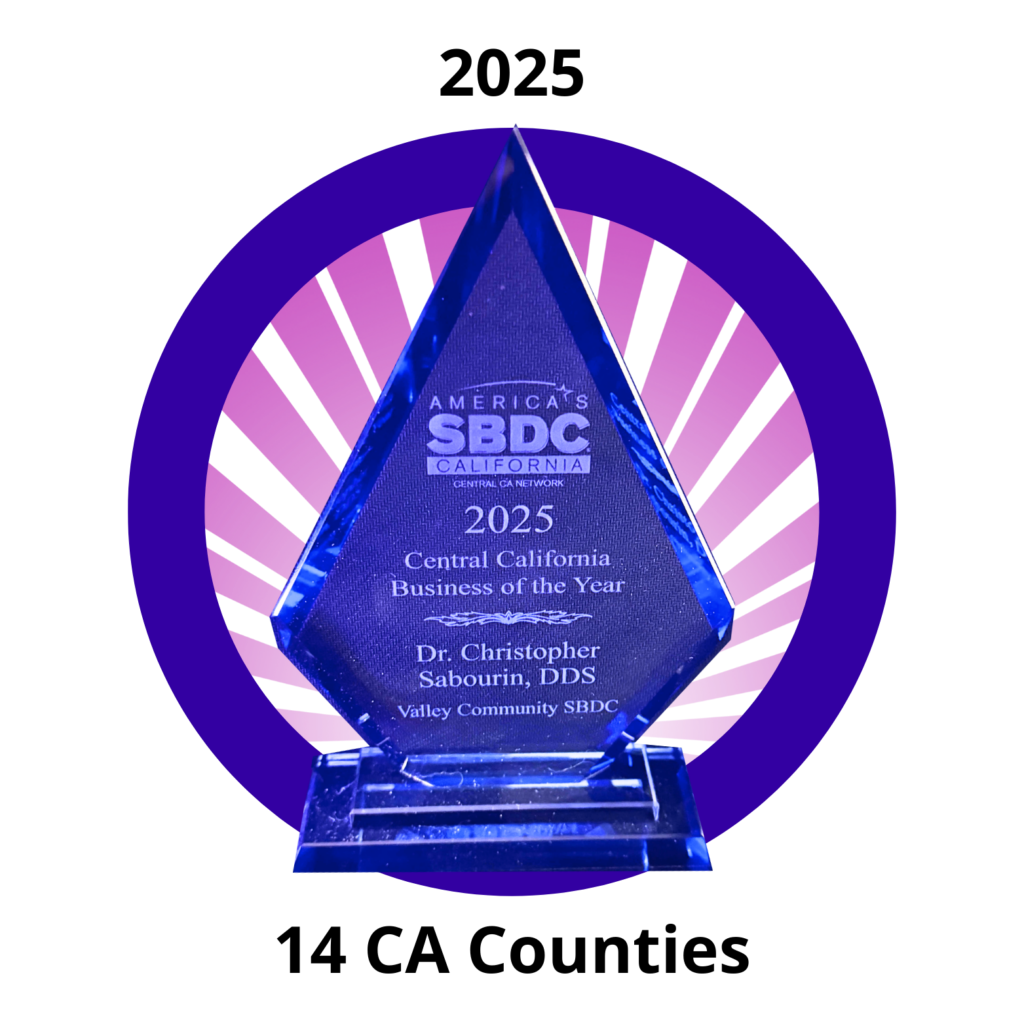
Seneca was built by Dr. Christopher Sabourin, a practicing endodontist dual-trained in human physiology. He watched his own team lose coordination even after finishing standard training, and set out to fix it directly. He describes the goal as “a digital nervous system that adapts to people, not the other way around.”
The product grew out of a dental-specific origin, not a generic corporate training background. That history shows in how specifically it’s built for the clinical floor. It wasn’t adapted from an unrelated industry afterward.
That also lines up with how FlowPatterns sequences its own focus. Healthcare comes first, dental specifically, ahead of every other vertical the platform eventually serves. A dental office isn’t an afterthought market here.
It’s the one the platform was actually built around first. That shows in the level of specificity throughout the product.
Standout features
Onboarding sits inside a broader coordination system, not off in a separate app. Process Blueprints codify procedures from top-performing dental practices, refined continually by a peer community rather than a one-time template. New hires typically reach productivity in around two weeks, down from the months a course-only approach usually takes.
A scheduling coordination agent runs alongside training content, cutting missed bookings and front-desk scramble. Team Tools give staff 24/7 access to checklists, scripts, and training videos from any device.
An augmented-reality guidance layer supports chairside work once onboarding ends. No other tool on this list offers that.
What you’ll pay
FlowPatterns hasn’t published pricing for Seneca yet. It’s restructuring the model, moving from per-seat pricing to pricing based on locations or operatories. Reach out directly for current availability and timing.
Seneca is confirmed HIPAA compliant, which matters for any dental onboarding tool touching clinical workflows.
Where it falls short — and who it fits
There’s no instant self-serve signup here. Evaluating Seneca takes a conversation, not a click. That slows down a practice trying to compare five tools in one afternoon.
That trade-off makes more sense for a practice that wants dental-specific coordination, not a renamed generic template. A solo office just wanting a quick documentation habit started might be better served starting with a lighter tool first.
2. Trainual: the category default for small business onboarding
Trainual is the name that comes up first in almost every onboarding software search, dental or otherwise. It started as a straightforward training and documentation tool. It has since grown into three linked suites: Training, Operations, and Performance.
Standout features
The built-in AI assistant answers employee questions directly from your own uploaded content. That cuts down on repeat questions to a manager.
The template library runs deep. Franchise and multi-location tools are genuinely built for offices running more than one location.
Review volume backs the reputation up. Trainual sits around a 4.7 rating across more than 2,000 reviews on sites like G2 and Capterra.
What you’ll pay
Trainual doesn’t publish dollar figures on its own site anymore; it routes visitors to a demo instead. Third-party pricing trackers report roughly $249 to $399 a month for ten seats, depending on tier. A one-time implementation fee near $1,000 applies on top of that.
A separate Operations add-on runs $9 per user monthly, with a 10-seat minimum.
Where it falls short — and who it fits
Trainual measures training completion and KPI attainment, not clinical or business outcomes tied to the actual work. There’s no augmented-reality guidance and no scheduling-coordination layer built in.
It’s a strong fit for a multi-location practice group formalizing operations for the first time. That’s especially true for one that values a deep, proven template library over dental-specific depth.
3. SweetProcess: the transparent, budget-friendly option
SweetProcess pitches itself as the fix for the owner who’s become the bottleneck in their own practice. Document a procedure once, then delegate the tasks inside it directly to the team.
Standout features
Every plan includes every feature, including single sign-on, which is unusual in this category. SweetAI, the platform’s built-in assistant, drafts procedures from a description or a recorded screen capture. The company reports more than 40,000 organizations using the platform, with case studies spanning several healthcare-adjacent service businesses.
What you’ll pay
Pricing is flat with no tiers. It’s $99 a month or $990 a year for up to 10 users, plus $5 a month per additional seat. A five-and-under plan runs $495 a year.
There’s a 14-day free trial with no card required, backed by a 30-day money-back guarantee.
Where it falls short — and who it fits
SweetProcess documents and delegates well, but it isn’t a structured onboarding curriculum with testing or certification built in. There’s no outcome-measurement framing, no AR guidance, and no scheduling layer.
A small practice just starting to write procedures down, on a tight budget, tends to get the fastest return here.
4. Process Street: workflow automation with an audit trail
Process Street has repositioned itself as a “Compliance Operations Platform.” It turns documented onboarding steps into automated, audit-ready checklists, with conditional logic, approvals, and scheduled recurrence built in.
Standout features
Conditional logic lets a checklist branch based on how a previous step went. Most onboarding tools on this list can’t do that. That’s genuinely useful for recurring compliance tasks like sterilization logs or periodic OSHA checks, not just a one-time new-hire walkthrough.
What you’ll pay
The Startup plan runs about $100 a month for up to five users. Pro jumps sharply from there, cited between roughly $415 and $1,500 a month billed annually. Enterprise pricing is custom-quoted.
A 14-day trial exists, but only on the Pro tier.
Where it falls short — and who it fits
Process Street isn’t really an onboarding or training product at all. A dental office would still need something else to actually train a new hire. The jump from Startup to Pro pricing is steep, and the sales motion leans more enterprise than small-practice.
It fits best where recurring compliance execution is the bigger pain point than new-hire training itself.
5. Whale: the AI-forward knowledge assistant
Whale bundles process documentation, training, and an AI assistant called “Ask Alice,” trained on your own workspace content. The product leans hard into fast capture, with a screen recorder and a video-to-guide converter built in.
Standout features
Whale already has a HIPAA BAA available on request, and holds SOC 2 Type II certification. Data hosting is available in the US or EU.
G2 reviewers rate it 4.8 out of 5 across more than 180 reviews. Its customer base skews toward deskless, frontline-heavy organizations.
What you’ll pay
A usable free tier covers up to 10 members and one creator. Paid plans start at $249 a month for three creators on the Scale tier. Advance runs $499 a month for five creators.
Enterprise pricing is custom-quoted, and Whale offers a 20 percent nonprofit discount.
Where it falls short — and who it fits
Whale is horizontal — there are no vertical dental blueprints, no augmented-reality guidance, and no scheduling-coordination layer. It measures documentation health and training completion, not business or clinical outcomes.
It’s a strong fit for a multi-location practice group wanting compliance groundwork already in place. The category’s most mature AI assistant comes bundled in, too.
6. Scribe: the fastest way to capture a procedure
Scribe watches what you do in a browser or on the desktop. It auto-generates a step-by-step guide with screenshots as you go. That’s the quickest path from doing a task to having it documented.
Standout features
Capture speed is unmatched here — record once, and Scribe writes the guide for you automatically. The free Basic tier covers browser capture with no card required. That’s genuinely useful for a practice just starting to document anything at all.
What you’ll pay
Pro Personal runs $25 per seat monthly for individual users, or $35 billed month to month. Pro Team drops to $13 per seat annually, but requires a five-seat minimum. That puts a real floor under very small teams.
Enterprise pricing is quote-only.
Where it falls short — and who it fits
Scribe has no training curriculum, no testing or certification, and no knowledge community. There’s no workflow coordination, scheduling, or outcome measurement of any kind.
It fits an individual operator or consultant needing fast documentation. A dental office trying to actually onboard and train a new hire needs more than that.
Frequently asked questions
Do small dental offices really need dedicated onboarding software? A five-or-fewer-person office can survive a while on tribal knowledge. The Bureau of Labor Statistics projects steady growth in dental assistant hiring through 2035. A large share of those openings comes from people leaving the field, not just new demand, which means most offices face this turnover moment sooner rather than later.
How worried should an owner be about losing staff to another practice? More than half of U.S. employees report they’re watching for or actively seeking a new job at any given time, per Gallup’s own tracking. A dental office competing for a small local pool of assistants and hygienists feels that pressure directly, and a rough first few weeks on the job makes it worse.
How is this different from a general HR onboarding tool? General HR platforms manage paperwork, benefits, and compliance forms. The tools on this list are built to train someone on the actual work, which for a dental office means procedures, scripts, and — in Seneca’s case — chairside guidance.
What should a small office prioritize first — training or scheduling? Start wherever the current pain is worst. A practice drowning in missed bookings benefits more from a scheduling-aware platform first; a practice with no written procedures at all benefits more from documentation first.
Is any of this HIPAA compliant? Seneca and Whale both confirm HIPAA compliance directly. Whale additionally offers a BAA on request, along with SOC 2 Type II certification. Always confirm current documentation with a vendor before committing.
How much should a small dental practice budget for onboarding software? Free and near-free tiers, like Scribe’s Basic plan or SweetProcess at $99 a month, get documentation moving with minimal upfront cost. Mid-tier tools like Trainual and Whale often land between $250 and $500 monthly for ten or fewer seats.
What’s the real risk in switching onboarding tools later? The heavier lift is always rewriting procedures out of someone’s head, not the software migration itself. Most platforms let you export documentation, so starting with the tool that matches today’s biggest gap is a reasonable bet either way.
Does the number of operatories or locations change which tool makes sense? Yes, generally. A single-chair solo practice usually gets more value from a low-cost, fast-setup tool like SweetProcess or Scribe. A multi-location group juggling consistency across offices tends to outgrow those quickly, which is where Trainual’s franchise features or Seneca’s cross-location coordination start to matter more.
Which onboarding software fits your dental office?
A solo or very small practice watching every dollar should start with SweetProcess or Scribe’s free tier. Both get documentation moving with no upfront cost. A multi-location group wanting a proven training curriculum will likely get the most value from Trainual’s template depth.
A practice already handling HIPAA-sensitive workflows should look closely at Whale. It’s a strong fit especially when a mature AI assistant out of the box matters too. If recurring compliance checklists matter more than new-hire training itself, Process Street’s automation is the better fit.
Every option here solves a different slice of the same problem: training, documentation, compliance, or coordination. The real question is which slice your office is actually missing, not which platform has the longest feature list.
None of these choices need to be permanent, either. Most platforms let you export documentation if a practice outgrows a tool or simply changes its mind later. Revisit the decision once the team has actually used whatever you pick for a full quarter.
If chairside guidance and outcome measurement matter more than course completion, that’s the gap Seneca was built to close. It’s worth a conversation with FlowPatterns to see what that looks like inside your own operatories.